If you keep hitting Claude’s weekly usage limits, the answer might not be to use Claude less. It might be to stop making it do the same work over and over.
Three habits are especially expensive: changing your setup in the middle of a session, carrying unrelated tasks through one enormous chat, and loading every instruction upfront. The sneaky part is that each one can feel productive. Switching to a cheaper model sounds sensible. Keeping everything in one conversation feels convenient. Adding another rule feels like making Claude smarter.
But once you understand how context and prompt caching work, those habits start to look very different.
Key Takeaways
- Choose models and tools before starting a task to preserve reusable cached context.
- Give unrelated tasks separate sessions so irrelevant context does not accumulate.
- Keep CLAUDE.md concise and load detailed workflows through skills only when needed.
- Retest old instructions as models improve instead of continually adding more rules.
Why Claude Uses So Many Tokens Before It Answers
Imagine texting a friend who has to scroll to the top and reread your entire conversation before replying to every message. By message 200, they would spend much more time reading than answering.
That is a useful way to think about Claude’s context. Each new request includes the conversation context it needs to continue: instructions, file contents, previous messages, and other material accumulated during the session. A short question can arrive with tens or hundreds of thousands of tokens behind it.
I saw this in my own usage logs. Across seven real tasks using Opus, Claude read roughly 160 million tokens while writing about 500,000. The big workload was not just generating answers. It was processing input.
Prompt caching makes that repeated input much cheaper. Instead of fully processing the same material again, Claude can reuse previously processed portions of the prompt. In usage logs, this appears as cached input. The cached-input pricing discussed here is around one-tenth of normal input pricing, with exact rates depending on the model.
That is why the goal is not simply to send fewer messages. It is to preserve reusable context while keeping unnecessary context out.
Habit 1: Making Claude Start Over Mid-Session
Think of your session as a LEGO tower. If you change a brick near the bottom, you cannot always leave everything above it untouched. You have to rebuild from that point.
Prompt caching has a similar constraint, called a prefix match. The prefix is the beginning of the input, including things such as tools, settings, and instructions. To reuse a cached portion, the matching content from the top must stay the same. A change near the beginning can force everything after it to be processed again.
Anthropic engineer Thariq Shihipar has explained that Claude Code was built around prompt caching. The team even monitors cache misses because a high cache hit rate helps make more generous subscription limits possible.
Why switching to a cheaper model can cost more
Suppose you are 100,000 tokens into an Opus session and want to ask an easy question. Switching to Haiku seems like an obvious way to save usage.
But each model has its own cache. Haiku cannot simply pick up Opus’s cached context. It needs to process that large conversation for itself.
You might save on the answer while spending more on the input required to produce it. Depending on the model prices and the size of the session, staying with the more expensive model can be cheaper than switching.
This is not an argument against cheaper models. It is an argument for choosing the model before you build up a large conversation. Exact economics change as models and pricing change, but rebuilding a large cache is a cost worth considering.
Set up the session first, then keep adding to it
My practical approach is straightforward:
- Choose your model at the beginning. Use
/modelwhen opening the session, select the model that fits the job, and stay with it for that task. - Connect the tools you need before the first message. When tool definitions load upfront, adding or removing a tool later can change the prefix and break cache reuse.
- Keep the working conversation additive. Once the setup is in place, add new messages rather than repeatedly changing the foundation.
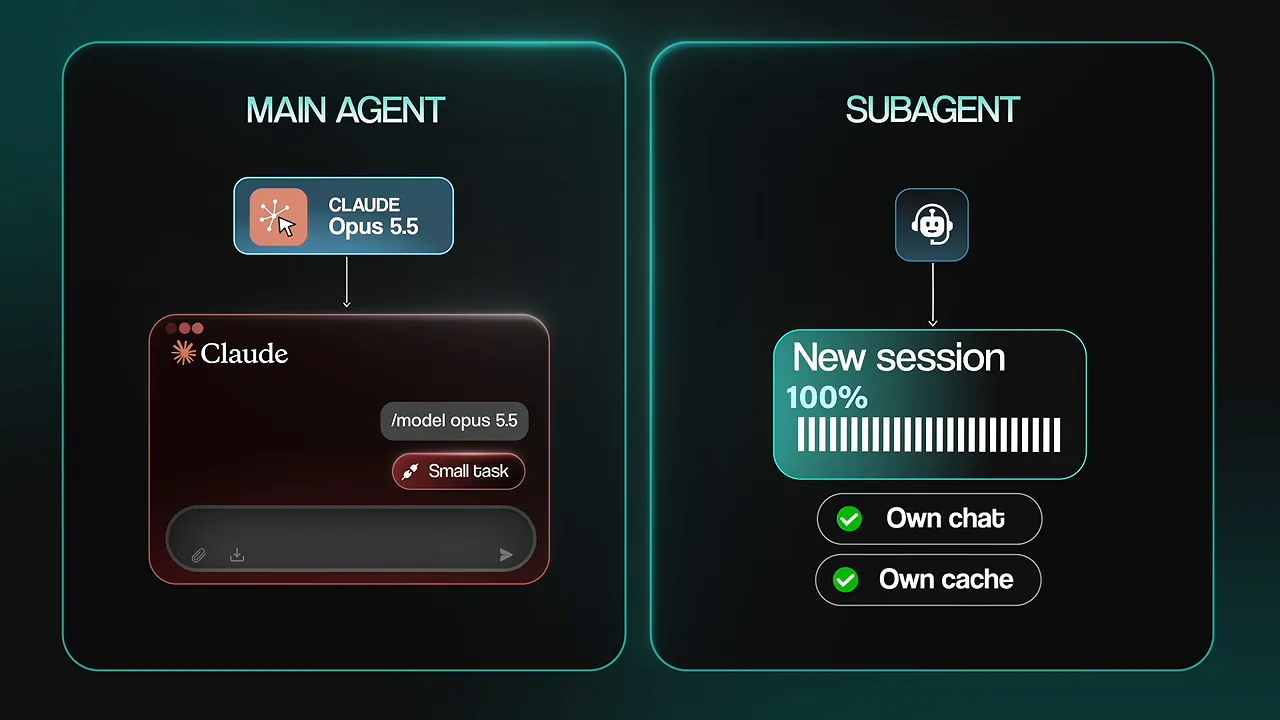
- Delegate small side tasks. Use a separate session or a suitable subagent rather than switching the main session’s model.
For example, you can ask Claude to use a Haiku subagent to summarize a set of files or handle a research task. The subagent has its own conversation and cache, leaving the main session’s setup untouched.
The same setup issue can explain why a skill created partway through a session is not immediately available as a slash command there but works in a new session. The session’s starting configuration matters.
Pay attention to whether the cache is warm or cold
A cache does not stay available forever. In the subscription setup I described, it stayed warm for about an hour after the last message. The API caching interval discussed was five minutes. Treat those as setup-specific details rather than permanent guarantees, since caching options and product behavior can change.
If a large cache expires, the next request may need to rebuild it. I had Claude create a small modification above my prompt box that showed:
- Whether the cache was warm or cold.
- How much time remained before expiration.
- The estimated usage cost of rebuilding it.
- A warning about five minutes before it went cold.
That warning gave me the option to send a quick prompt before expiration when I was about to continue working.
In one of my sessions, rebuilding a roughly 400,000-token cache was estimated to cost around $3 to $3.50 in usage, compared with about eight cents to keep it warm. Those are examples from my setup, not universal prices, but repeated rebuilds add up.
You do not have to write that kind of modification yourself. You can ask Claude to build a cache-status indicator for your sessions and explain what it can measure.
Habit 2: Using One Giant Session for Everything
Preserving your cache does not mean preserving every conversation forever.
A lot of people keep one general-purpose session open all day. They fix a bug, write an email, and plan a project in the same chat. By the afternoon, Claude is carrying the context of several unrelated jobs into every new request.
That is like heading up a mountain with every bag from every trip you have ever taken.
Brad Abrams, who leads product for the Claude platform, has described Claude Code’s cache hit rate as typically being in the 90s. That is excellent reuse, but a discounted reread still is not a free reread. A huge amount of irrelevant context remains unnecessary work, even when caching functions well.
The better rule is to keep what the current task needs and leave the rest behind.
Use a clean session for a new task
When you finish one task and move to something unrelated, use /clear or start a new session. There is no reason for an email-writing task to carry the entire debugging conversation that came before it.
This does not conflict with keeping your cache stable. The distinction is the task boundary:
- Within one task: Keep the model, tools, and starting instructions stable so Claude can reuse context.
- Between unrelated tasks: Start clean so Claude does not keep carrying irrelevant material.
Compact or hand off when a task reaches a natural checkpoint
For a longer task that still needs continuity, /compact turns the conversation into a shorter summary that Claude can use to continue.
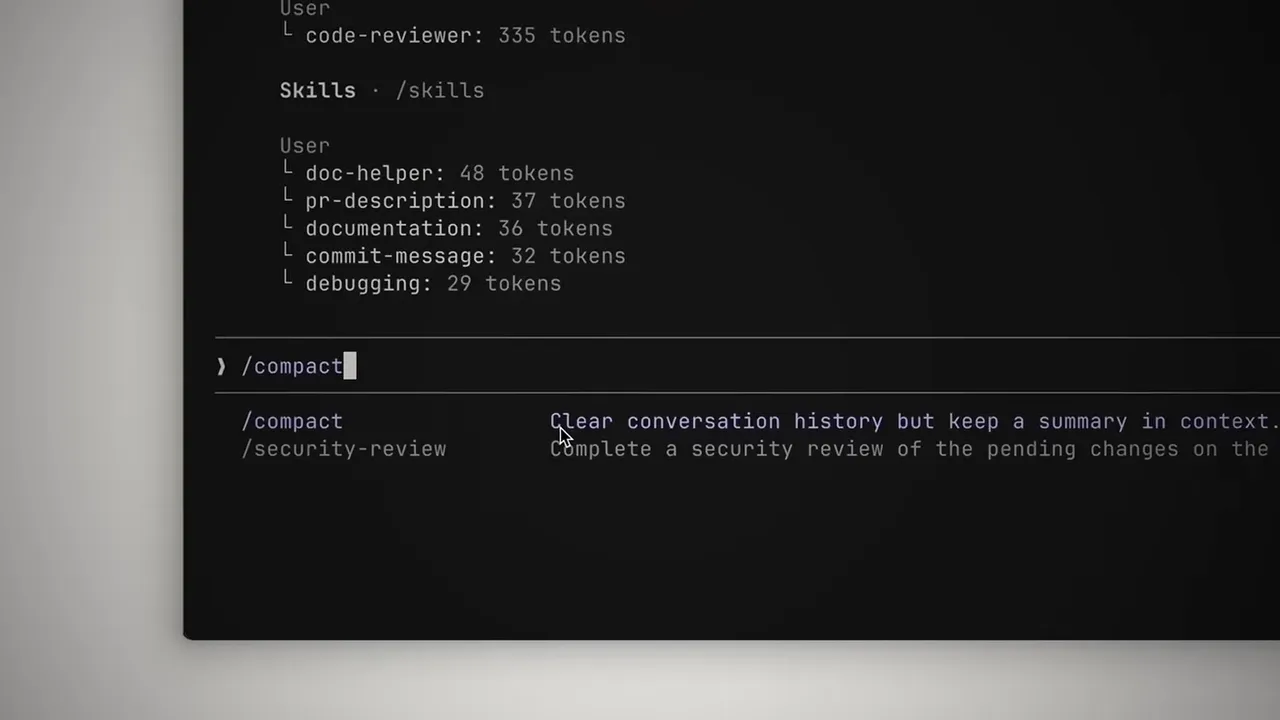
I prefer a custom handoff skill. In my setup, I use /handoff or /session-handoff, then paste the resulting handoff into a new session. Those are my custom commands, not a requirement for using Claude Code.
The principle is the same either way: carry forward a concise working summary instead of every exploratory step from the old conversation.
Tell Claude where to look
Vague requests can create a lot of unnecessary context.
If you ask Claude to search the whole project and find a bug, it may open dozens of files. The contents of those files then become part of the session’s context.
If you already know the likely location, say so. A request pointing to the total-price function in checkout.js gives Claude a much narrower starting point than a request to investigate the entire project.
You are not trying to prevent useful investigation. You are avoiding investigation that you already know is unnecessary.
That is why the top of my CLAUDE.md acts as a routing map. It tells Claude where different kinds of work live, so it can head to the right folder rather than rediscovering the project structure every time.
Think of each task as its own trip. Pack what that trip needs, then empty the bag before the next one.
Habit 3: Loading Every Rule Upfront
This is probably the easiest habit to justify.
Claude does something you do not like, so you add a rule to CLAUDE.md. Then you add another. Eventually, your project instructions become a long collection of corrections, checklists, examples, and exceptions.
The problem is that those instructions load into sessions whether the current task needs them or not. That costs tokens, but it can also make the instructions harder to follow.
Some rules may even pull in different directions. A broad instruction to document everything can clash with another telling Claude not to add comments. The more rules you accumulate, the more opportunities you create for ambiguity and conflict.
More instructions do not automatically produce better results
Anthropic’s own engineers described removing about 80% of Claude Code’s system prompt for newer models without a measurable drop in their test results. Their conclusion was that they had been overconstraining the model.
The system prompt is the behind-the-scenes instruction set Claude Code provides before you type anything. The lesson for your own setup is not to delete all instructions blindly. It is to question whether every instruction is still doing useful work.
As models improve, they may need fewer examples, fewer procedural rules, and clearer high-level goals instead.
Boris Cherny, the creator of Claude Code, has suggested periodically testing without your accumulated skills and instructions, roughly every six months, to see what newer models can do on their own.
My experience is that some skills still matter. Claude cannot automatically know my taste or every business-specific rule. But I have been able to make those skills shorter and less prescriptive over time.
Use progressive disclosure for detailed processes
Progressive disclosure means loading detailed instructions only when they are needed.
Skills are built around this idea. At the start of a session, Claude sees a short description associated with the skill’s YAML front matter. The full instructions in SKILL.md load when Claude invokes that skill for a relevant task.
Instead of forcing every session to read your entire operating manual, you give Claude enough information to recognize which manual it needs.
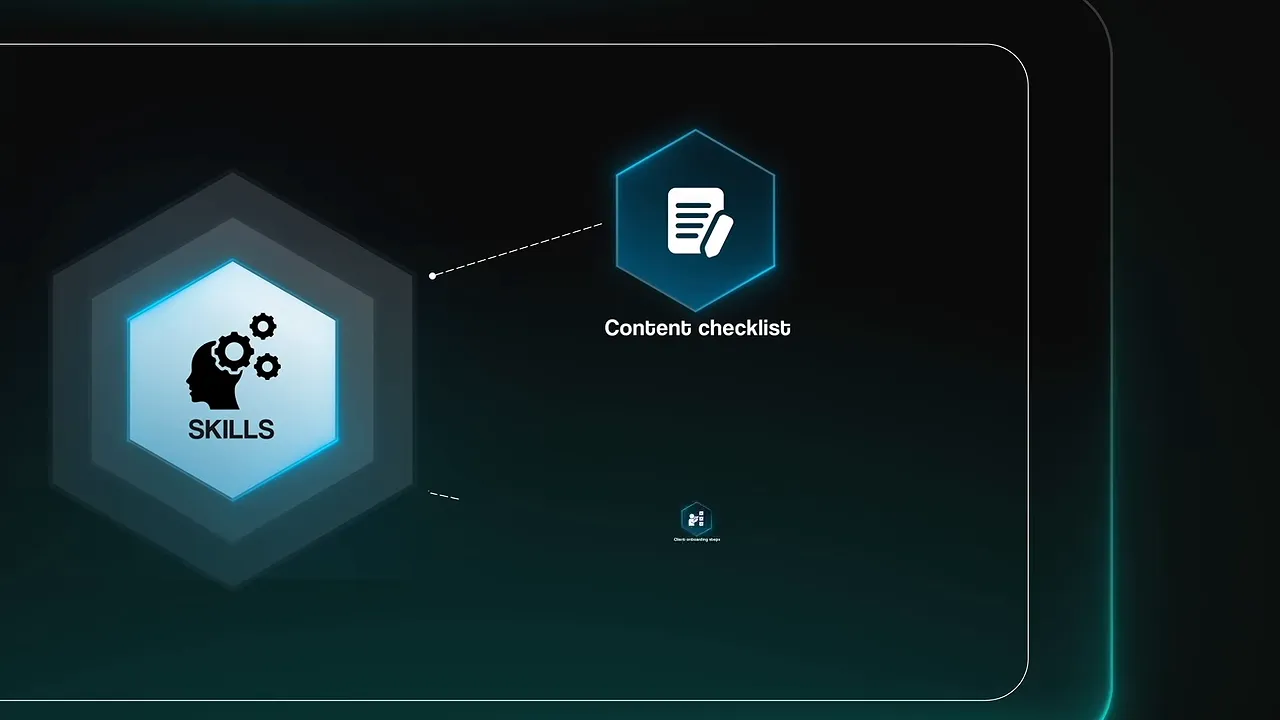
A content checklist belongs with the content workflow. Client onboarding steps belong with onboarding. Neither needs to occupy every unrelated session from the beginning.
Audit and shorten your CLAUDE.md
Here is the cleanup process I use:
- Remove instructions Claude no longer needs. Look for basic behaviors the model already handles reliably without reminders.
- Find irrelevant instruction files. Check what is actually loading, not just what you intended to load.
- Keep the always-loaded file short. Anthropic’s recommendation discussed here is to aim for fewer than 200 lines per
CLAUDE.mdfile. - Move detailed procedures into skills or reference documents. Keep the entry-point instructions focused on essential context and routing.
I used a /doctor audit in my setup to inspect the instruction load and identify material that could be removed or moved. It found a CLAUDE.md associated with a completely separate project on my desktop that was loading into every session. That was roughly 2,000 tokens I did not even realize Claude was reading.
My own main file was still around 300 lines, largely because of routing instructions, so there was room to improve. This is ongoing maintenance, not a one-time perfect setup.
A useful split is:
- CLAUDE.md: The role, essential personal or business context, important rules, and where files live.
- Skills: Repeatable step-by-step workflows, content checklists, and client onboarding processes.
- Reference documents: Supporting detail Claude can read when the task requires it.
You can ask Claude to do the restructuring directly: turn a process-heavy section of CLAUDE.md into a skill, or turn an existing workflow document into a skill.
A Better Default Workflow for Claude Code
You do not need a complicated token-saving system. Start with a few deliberate choices:
- Before the task: Choose the model and connect the tools you expect to need.
- During the task: Keep the setup stable, point Claude toward relevant files, and delegate small side jobs when appropriate.
- At a checkpoint: Compact the conversation or create a handoff if the context has become bloated.
- For the next task: Clear the conversation or open a clean session.
- Periodically: Audit your instructions and test whether newer models still need your existing skills.
Anthropic keeps shipping new models and features, so exact pricing, cache behavior, and useful prompting habits can change. Keep testing your setup rather than assuming yesterday’s workaround is permanently necessary.
If you want help organizing the broader system, my free AI OS kit includes six skills built around context, connections, capabilities, and cadence. There are also courses, resources, skills, and a seven-day AI workflow challenge in the free AI Automation Society community.
The core idea is simple: give Claude less unnecessary material to read, and stop making it rebuild work it could reuse. That is a better starting point than trying to get useful work done by using Claude less.


