Claude Code has an experimental setting called Code Mode, and after testing it on four real business tasks, I found something pretty consistent: it used fewer input tokens every time.
The catch? It was slower more often than it was faster. On one job, a task that normally took 27 seconds stretched to about three minutes.
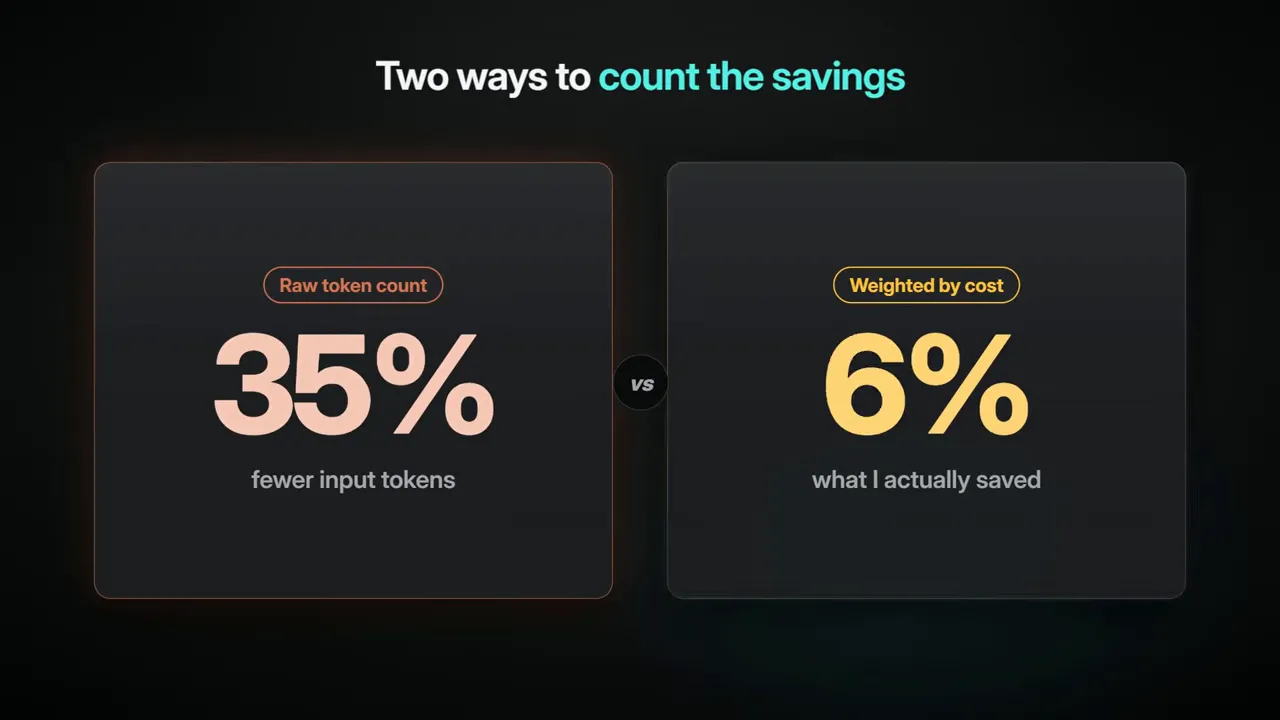
Across five comparisons, Code Mode used roughly 35% fewer input tokens. Once I accounted for the lower cost of cached tokens, the savings were closer to 17%. That is still useful, but it is a very different story from a headline promising a nearly 98% reduction.
So, is this a setting I would turn on for everything? Not yet. But there are specific jobs where I would absolutely consider it.
Key Takeaways
- Code Mode lets Claude coordinate tool calls through generated JavaScript without changing how you prompt.
- Five comparisons showed 35% fewer input tokens, with cost-weighted savings closer to 17%.
- Both modes answered correctly, but Code Mode was slower in three of five comparisons.
- Consider it for repeated edits, filtered searches, parallel commands, and long sessions where usage matters.
What Claude Code’s Code Mode Actually Does
Normally, Claude Code works through an agentic loop. It requests a file, reads the result, decides what to do next, and calls another tool. Each little action is a tool call, and the information returned becomes part of the session’s context.
Code Mode changes how that work gets coordinated. Instead of calling tools individually, Claude writes a short JavaScript program that calls those tools for it. Claude Code then runs that program inside your session.
That program can:
- Run several commands at the same time.
- Use one result to determine the next step.
- Filter or process information before returning it to Claude.
- Hand back only the information Claude needs to finish the job.
Think of the difference this way. Without Code Mode, you might send an assistant to a filing cabinet for one folder, have them read every page aloud, and then send them back for the next folder.
With Code Mode, you can give them one instruction: pull all 40 folders, total each customer’s orders, and bring back the top three.
You do not need to write the JavaScript yourself. You do not even need to read it. You keep prompting Claude normally. Despite the name, this is not a special mode reserved for coding projects. It is a different way for Claude to use its tools behind the scenes.
Why the idea is promising
Anthropic previously tested this approach outside Claude Code on a workflow that retrieved a meeting record from Google Drive and attached it to a Salesforce lead. Using code rather than direct tool calls reduced token usage from about 150,000 to 2,000.
That is a huge difference. But it does not automatically mean every Claude Code task will get the same benefit. I wanted to see what actually happened with the kinds of jobs a small business might hand over.
How to Turn On Code Mode
At the time of my tests, Code Mode had a few requirements:
- The terminal version of Claude Code. It was not available in the desktop app, the VS Code panel, or cloud sessions.
- Claude Code version 2.1.323 or later.
- A Claude subscription or Console account.
- A supported current model, such as Opus 5.5.
The setting is controlled by the environment variable CLAUDE_CODE_EXPERIMENTAL_CODE_MODE. Set it to 1 before starting Claude.
In a Bash-compatible terminal, the launch command looks like this:
CLAUDE_CODE_EXPERIMENTAL_CODE_MODE=1 claudeYou can also add the environment variable to your Claude Code settings file. Personally, my usual approach is even simpler: paste the Code Mode documentation link into Claude Code and ask it to set things up for me.
On the first launch, Claude presents an experimental-feature notice. It explains that Claude will write and run JavaScript to call tools, and that Claude in Chrome and computer use are unavailable while Code Mode is on.
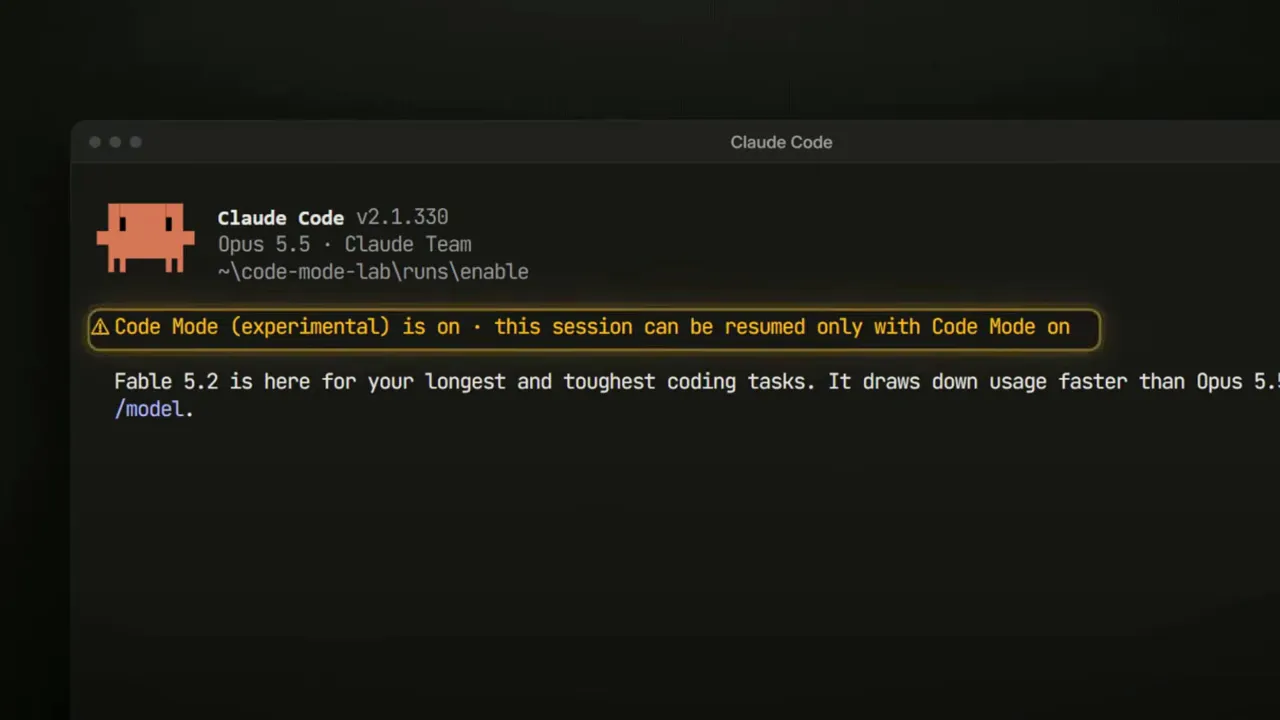
Select the option to turn on Code Mode. A notice at the top of the session confirms that it is enabled.
My Four-Job Test: Same Prompts, Same Model
I built a small sandbox with four tasks that were practical enough to resemble actual business work:
- Customer ranking: Find the top three customers across 40 days of order files.
- Broken-link audit: Find every broken link in a folder containing 30 documents.
- Website updates: Change a phone number and a price across a 25-page website.
- A quick lookup: Answer one question about a single file.
I ran each task with Code Mode off and then on, keeping the model, effort setting, and prompt the same. I also repeated the orders task, giving me five comparisons in total.
Accuracy: Both modes got everything right
Every run produced the correct answer. Within this small test, Code Mode did not make Claude noticeably smarter or less capable.
That matters because lower token usage is only useful if the work still gets done correctly. Here, the meaningful differences were token consumption and completion time, not accuracy.
Input tokens: About 35% fewer overall
Code Mode used fewer input tokens in all five comparisons. But the biggest reason was not necessarily more efficient processing of the files themselves.
A lot of the savings came from Claude’s setup overhead.
Each message carries instructions and tool definitions. In my setup, that amounted to roughly 60,000 tokens per message with Code Mode off. With Code Mode on, it was closer to 38,000, because the normal tool list was replaced by one code tool.
That makes each message lighter before the actual task work begins. It also explains why even a quick question about one file used substantially fewer input tokens.
Cost: Closer to 17% savings after caching
Here is the important distinction: 35% fewer input tokens does not mean a 35% lower bill.
Many of those setup tokens are cached. Cached tokens cost much less while they remain in cache, so removing them does not save as much money as removing the same number of uncached tokens.
When I weighted the tokens by their actual cost, the savings came out closer to 17%.
That is still meaningful, especially if you regularly run into usage limits. It is just not the nearly 98% reduction from Anthropic’s earlier example.
These were also relatively small jobs. A similar percentage reduction on a larger workload would represent more tokens saved in absolute terms, but these tests do not establish what percentage a larger job would achieve.
The Speed Trade-Off Was Real
Code Mode was faster on the single-file question and one of the two customer-ranking runs. It was slower on the other three comparisons.
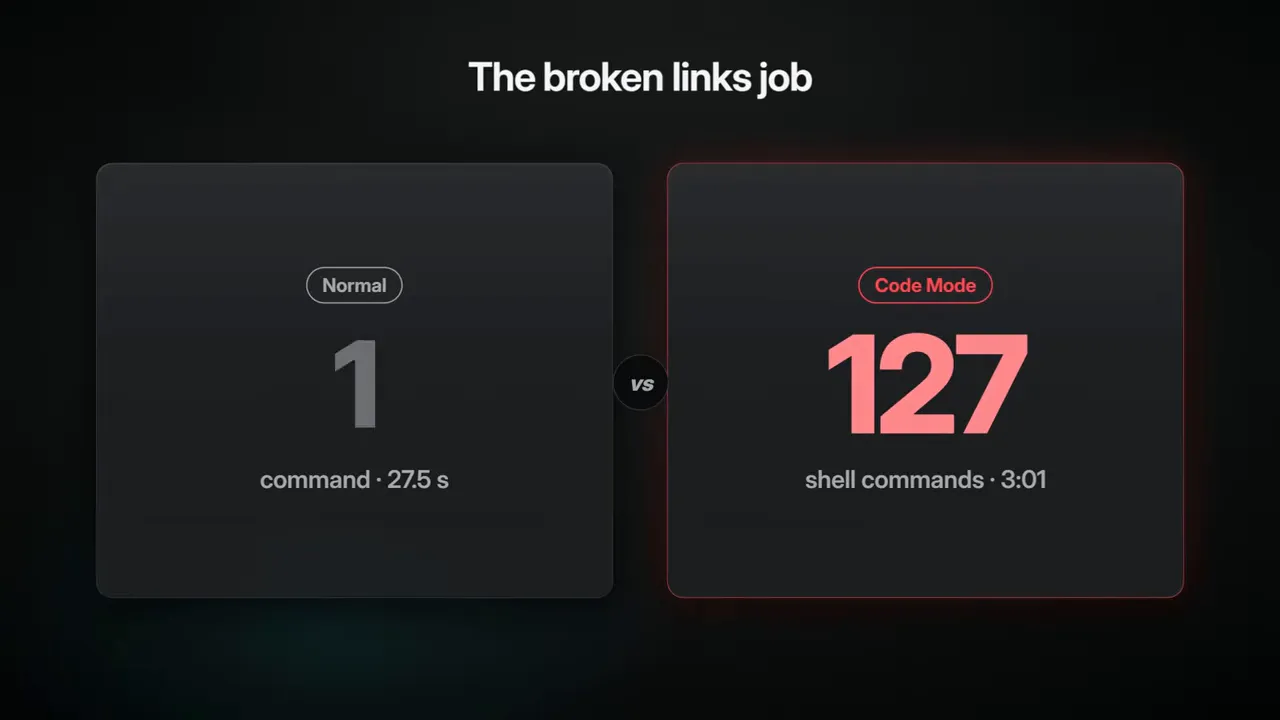
The broken-link audit was the clearest example: about three minutes with Code Mode versus 27 seconds without it.
When I inspected the execution logs, the reason became pretty obvious. Code Mode had generated a script that launched more than 100 tiny shell commands, essentially checking links individually. On my Windows machine, each command required a new shell to start.
Without Code Mode, Claude handled the entire check in one command.
This is the distinction that the filing-cabinet analogy can hide. Normal Claude Code is not restricted to reading 40 files one by one. It can already write and run its own scripts in the terminal, and it did that on most of these jobs.
In practice, I was often comparing one scripting approach against another, rather than comparing dozens of individual reads against one efficient program.
There was also normal run-to-run variation. The same orders task with Code Mode off took about 12 seconds once and 36 seconds another time.
So I would not treat one result as a guaranteed timing pattern. The useful conclusion is narrower: Code Mode consistently reduced input tokens in these tests, but it did not consistently reduce execution time.
What Code Mode Looks Like in Everyday Use
The regular chat still looks familiar. You type your request, Claude works through the task, and you can see activity such as searches and file reads. The generated JavaScript is not normally shown in the main conversation.
To inspect more detail, press Ctrl+O. The expanded session view shows each generated script as a Code row, with its tool calls underneath.
For the top-customer task, Claude actually wrote three small programs:
- Read the source files: Load all 40 order files.
- Check the data: Look for problems such as duplicate orders or inconsistent customer names.
- Calculate the ranking: Total the paid orders and return the top customers.
The final ranking was Summit Roofing, Harbor Coffee Co., and Northwind Bakery, which was correct.
I am always telling people to make AI prove its work. Ctrl+O gives you a way to inspect what happened, but I would also ask Claude to include verification in the deliverable itself. A correct-looking answer is not a substitute for evidence of how it was produced.
When I Would Actually Use Code Mode
Anthropic suggests three types of work where this approach makes sense. After these tests, I would add a fourth:
- Repeated changes across many files. The same update needs to happen throughout a project.
- Searches that need filtering. Results can be narrowed down before Claude reads them.
- Independent commands. Several separate operations can run at the same time.
- Long sessions where usage matters. Lower per-message overhead may add up over an extended session.
I would be more cautious when turnaround time is the priority. The link-checking result is a good reminder that a program coordinating tools can still coordinate them inefficiently.
Treat it as an experiment, not a permanent default
At the time of these tests in November 2026, Code Mode was experimental. Anthropic warned that it could change or be removed in any release.
It was also moving quickly. After launching on November 12, it received 61 fixes and changes in the following eight days. Some of the rough edges I encountered could improve quickly.
My recommendation is simple: check your version and test Code Mode on your own recurring jobs. Compare correctness, input tokens, cost, and elapsed time separately.
For my setup, the result was fewer input tokens every time, lower cost overall, and slower execution more often. That makes Code Mode a useful option, not an automatic upgrade for every task.


