If you’re only using Grok Bot to answer simple questions, you’re leaving a lot of value on the table. People are giving AI agents actual work: negotiating bills, tracking down refunds, organizing family schedules, and handling jobs inside their businesses.
One user reported cutting a Comcast bill from $84 to $45 a month. Another described finding $13,000 in discounts and rebates on a car lease. And one business owner used research and outreach bots instead of moving forward with a sales director hire that would have cost around $200,000 a year plus commission.
Those are individual reports, not guaranteed results. But they show a much more useful way to think about AI: don’t just ask it for an answer. Give it an outcome to work toward.
These 30 Grok Bot use cases fall into four levels, starting with one-off errands and building up to the team of bots I use in my own business.
Level 1: Hand Off One-Off Errands
The easiest place to start is a task with a clear finish line. Make the call. Find the appointment. Locate the product. Bring back the deal for approval.
1. Negotiate a Lower Monthly Bill
Peter Yang had his bot call Comcast, navigate the phone menu, and negotiate his internet bill. It rejected three upsells and used a cheaper fiber offer from a competitor as leverage.
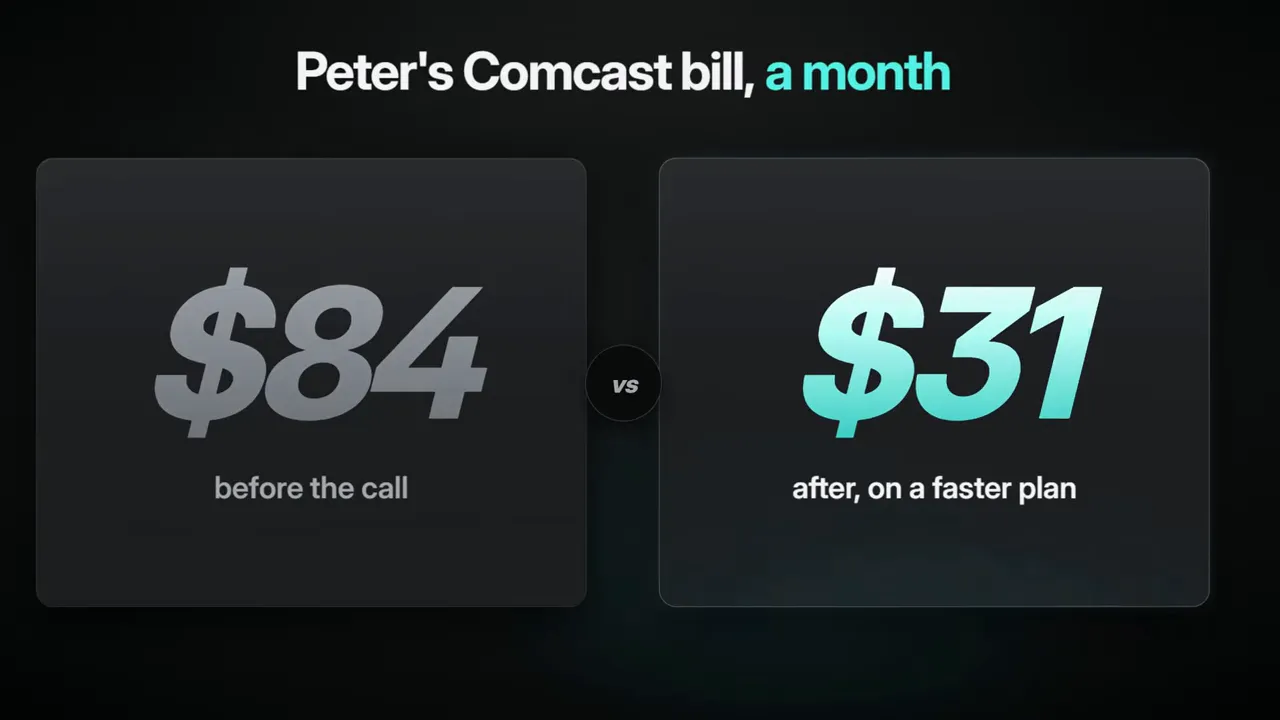
About 25 minutes later, his reported monthly price dropped from $84 to $45, on a faster plan. Crucially, the bot paused before accepting the offer and asked Peter to approve it.
That’s a strong delegation pattern: let the agent handle the negotiation, but keep the final commitment with you.
2. Sit Through Customer Support Calls
DJ’s AT&T support call lasted a full 90 minutes, which he described as the call limit at the time. His bot stayed on the line handling a complicated issue instead of making him sit through it.
When the representative called him back, she reportedly said she had dealt with bots before, but nothing like this. She was impressed enough to download the app herself.
Even when a call doesn’t produce a dramatic financial win, getting that time back is useful.
3. Book a Doctor’s Appointment
When Min Choi’s daughter injured her foot landing a jump at dance practice, he gave his bot the situation and her symptoms. It found nearby clinics and called one when it opened.
When the receptionist asked something the bot couldn’t answer, it sent the question back through chat so Min could supply the missing information. His daughter got an appointment that same day.
The important part is the handoff. The agent handled the search and scheduling without inventing answers it didn’t have.
4. Handle Complicated Travel Bookings
Philip Kaplan, founder of DistroKid, reported using Grok Bot to book flights for a fairly complicated family trip. He was enthusiastic enough to say he might never use an airline website again.
The use case goes beyond recommending flights. The bot works through the actual booking flow on airline sites, including carriers such as Delta, American, Alaska, JetBlue, and Frontier, then checks with you before completing the purchase.
5. Find a Product That’s Sold Out
Liam wanted an iPhone 18 Pro Max that he said was sold out everywhere he had checked. Apple’s quoted availability was the end of October.
He gave his bot a virtual card and asked it to find one. It emailed stores, located stock, placed the order, and reportedly got the phone delivered about a month before Apple’s estimate.
The useful shift here is from asking where something might be available to delegating the search and purchase process.
Level 2: Put Everyday Life Admin in the Background
One-off errands are a good starting point. The next level is giving an agent ongoing responsibility for the little things that otherwise stay in your head.
6. Reduce the Family Mental Load
In one week, Stella Garber’s bot worked through back-to-school emails, found three forgotten gift cards worth about $150, and helped get an overdue annual physical scheduled by offering three appointment times to choose from.
Matthew Berman described a similar setup for school and sports emails. His bot reads the messages and puts important dates on his calendar.
This isn’t about automating your relationship with your kids. It’s about making sure an important date doesn’t disappear into your inbox.
7. Troubleshoot Your Wi-Fi
Igor gave his bot the router model, the household’s network setup, and a list of connected devices. Then he followed the troubleshooting steps it provided.
He reported that his parents’ Wi-Fi speed went from 85 megabits per second to more than 1,400. That’s a huge improvement in that particular setup, and he joked that his parents now thought he was a genius.
The lesson is to provide the full technical context rather than asking a vague question about slow internet.
8. Disable Smart TV Ads and Tracking Apps
After a post about removing ads from a smart TV gained attention, Robert Courson pointed his bot at the task.
Using his desktop, it connected to his TCL television over Wi-Fi, identified advertising and tracking apps, and disabled them. He reported that the process took about 10 minutes and that he initiated it from his phone.
This is a concrete example of an agent using access to a computer to make changes, rather than simply returning a set of instructions.
9. Finally Organize That Huge Folder
Maye Musk asked her bot for the best way to move 2,000 Dropbox photos into folders. Instead of only explaining the process, it offered to do the work.
She had set aside a week for the project. She reported that the bot completed it in five minutes.
That’s the question worth remembering when you’re facing a tedious digital chore: are you asking AI how to do it when you could be asking it to handle the task?
10. Request Removal From Phone Number Listings
A user called MinimalDuck had a bot locate sites publishing his phone number and submit removal requests. He then packaged the workflow into a free skill for others to use.
The process had three parts: find the listings, file the removal requests, and make the workflow reusable.
That’s more actionable than asking how to reduce spam calls. The agent has a defined piece of administrative work to complete.
11. Research Your Family Tree
Anthony Pompliano gave his bot everything he knew about his family, including stories about relatives who had immigrated, and asked it to trace the family as far back as possible.
His genealogy project went beyond online searches. At one point, the bot was writing emails in Italian to archives in Italy, requesting scans of physical records.
It reportedly uncovered marriage licenses, birth certificates, ship manifests, and relatives he hadn’t known existed. The agent was coordinating research across sources, not just generating a family-tree outline.
12. Control Home Robots Remotely
Sawyer Merritt connected his bot to a robotic lawn mower in about two minutes. From 50 miles away, he asked it to begin mowing and reported that it started three seconds later.
Another user had a bot build a way to communicate with a robot vacuum, making it possible to send the vacuum instructions by text.
The appeal is straightforward: a conversational interface for devices that would otherwise require their own separate controls.
13. Give Old Devices a New Job
John Bumstead jailbroke a 14-year-old Kindle. Once it was accessible over Wi-Fi, his bot helped turn it into a clock, weather, and stock dashboard while preserving its ability to function as a Kindle.
Another parent described repurposing an old iPad as a kitchen-counter family calendar. Their bot populated it from email with school events, deliveries, and other household information.
The parent said their kids even got ready for school faster because they wanted to check off their morning tasks.
14. Coordinate a Robot Build
Evan Bacon reported that his bot ordered parts for a physical robot body, then called him to walk through assembly and electronics configuration.
At the point he shared the project, the robot was connected to his computer and its software was uploading.
It’s an unusual example, but the underlying workflow is useful: source the parts, coordinate the project, and guide a human through the physical steps that the software can’t perform itself.
15. Monitor Clinical Trials and Research
Kevin Wilmer, who has stage 4 lung cancer, was interested in a drug trial but didn’t want to repeatedly travel across the country to participate.
When the trial added the University of Cincinnati as a location, about an hour from his home, his bot caught the update and flagged it as something to discuss with his oncologist.
He described an ongoing system that checks trial listings, FDA decisions, and new research every morning while tracking more than 25 possibilities. The bot’s role is to surface options and questions for his doctor, not make treatment decisions.
Level 3: Find Money and Work Through Paperwork
This is where several users reported recovering enough money to cover the cost of their bot. The common thread is a pile of documents or correspondence that no one has had the time to work through carefully.
16. Double-Check Your Tax Returns
Jason Freedman gave his bot four years of tax returns and financial records: 266 files, including unlabeled material. His request was simply to double-check his CPA’s work.
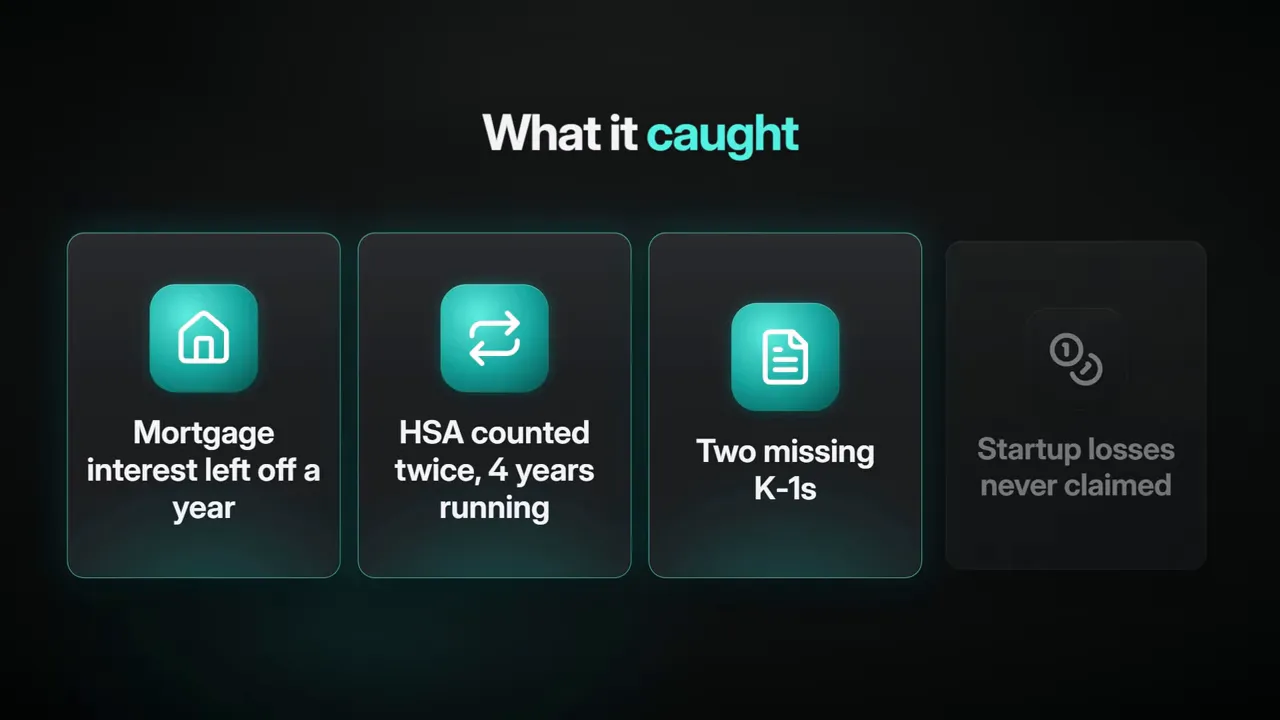
He reported finding several issues:
- Mortgage interest omitted from one year.
- HSA contributions counted twice for four consecutive years.
- Two missing K-1 forms.
- Startup losses that had never been claimed.
The value is in making a messy collection of records reviewable and surfacing specific discrepancies to follow up on.
17. Negotiate a Car Lease
Danny Macias had his bot negotiate a new lease for his partner. He reported a $9,000 reduction from the sticker price, plus a $4,000 rebate, for $13,000 in combined savings.
The bot also helped negotiate lease terms, including the money factor. The couple reportedly spent less than two hours at the dealership.
This is a stronger assignment than asking whether a car is a good deal. It gives the agent responsibility for researching and negotiating the actual transaction.
18. Search for Unclaimed Money
One Reddit user asked their bot to search for unclaimed money in every state where they had lived.
It reportedly found about $1,000 across three states, including unpaid wages from a Burger King job in the 1980s. The user said the bot assembled the paperwork and filed the claims in under 10 minutes.
Other people in the discussion reported finding amounts such as $600 and $400 after trying a similar search. This is a particularly clear task because the search scope is easy to define.
19. Chase Missing Refunds
Darian Shirazi gave his bot a direct goal: find enough lost money in his email to pay its monthly fee. It contacted five merchants about returns that hadn’t been refunded, and he reported recovering more than the subscription cost.
Katie Miller described a similar experience with a dress that never arrived. Her bot submitted a refund request, contacted DHL, followed up with the merchant, and notified her when the money was back on her card.
The follow-up is the important part. Sending one email is easy. Keeping the issue moving until it’s resolved is the work people tend to put off.
20. Audit Medical Bills
Brian Roemmele described using a medical bill auditor to go through itemized charges, identify duplicates and possible billing errors, and draft disputes for approval.
After using it on older family medical bills, he reported getting $527 back.
The workflow has a useful boundary: the agent reviews the bill and prepares the dispute, while the person approves what gets sent.
21. Support a Job Search
One Reddit user reported having their bot tailor a résumé and apply to 20 jobs in under an hour. Four days later, they said they had landed a position paying $3 more per hour.
Another person who had recently lost their job used spoken mock interviews tailored to specific roles. They later reported having multiple interviews lined up and feeling better prepared for them.
Those are two distinct jobs for an agent: help move applications forward, and help you practice for the conversations that follow.
Level 4: Give Bots Real Jobs in a Business
The biggest shift happens when you stop treating an agent as an occasional helper and give it a recurring business responsibility. These examples cover customer retention, content, scheduling, sales, finance, research, and product development.
22. Win Back Customers Who Canceled
Liam runs a paid community and gave his bot one assignment: win back customers.
It identified people who had canceled in the previous six months, emailed them, and reportedly brought several back. It also gathered feedback, analyzed why people had left, and produced a five-step improvement plan overnight.
That’s the part I like: the job didn’t stop at outreach. It connected customer conversations to changes the business could make.
23. Turn Long Recordings Into Short Clips
DogeDesigner described having Grok Bot process a 23-hour Starship Flight 15 livestream. The bot selected highlights, edited clips, added effects and music, and published the results.
A separate example proposed using agents to operate a GTA 6 clipping page, with claims of earning up to $10,000 per month.
Keep the workflow separate from the income claim. At a rate of about $1 per 1,000 eligible views, reaching $10,000 would require roughly 10 million eligible views. Automated production is the demonstrated idea; that monthly revenue figure is not an established result.
24. Help Run a Local Newsletter
Billy Howell runs the Arlington Bagel, a local newsletter. He set up a chief-of-staff bot with research and sales bots working beneath it.
The system helped assemble issues and manage reader and sponsor emails. He reported that it took over his intern’s workload in about 48 hours.
The sales bot also spotted a local business in his inbox that was worth pitching and helped find a new sponsor. That’s a useful example of an agent acting on relevant information already sitting inside a business.
25. Book Jobs for a Trade Business
Plumbing company owner Jon O’Neal described building bots in about four hours that coordinated work across six software tools.
The workflow was straightforward:
- Receive the work order.
- Find an open calendar slot.
- Confirm the appointment with the customer.
- Book the job.
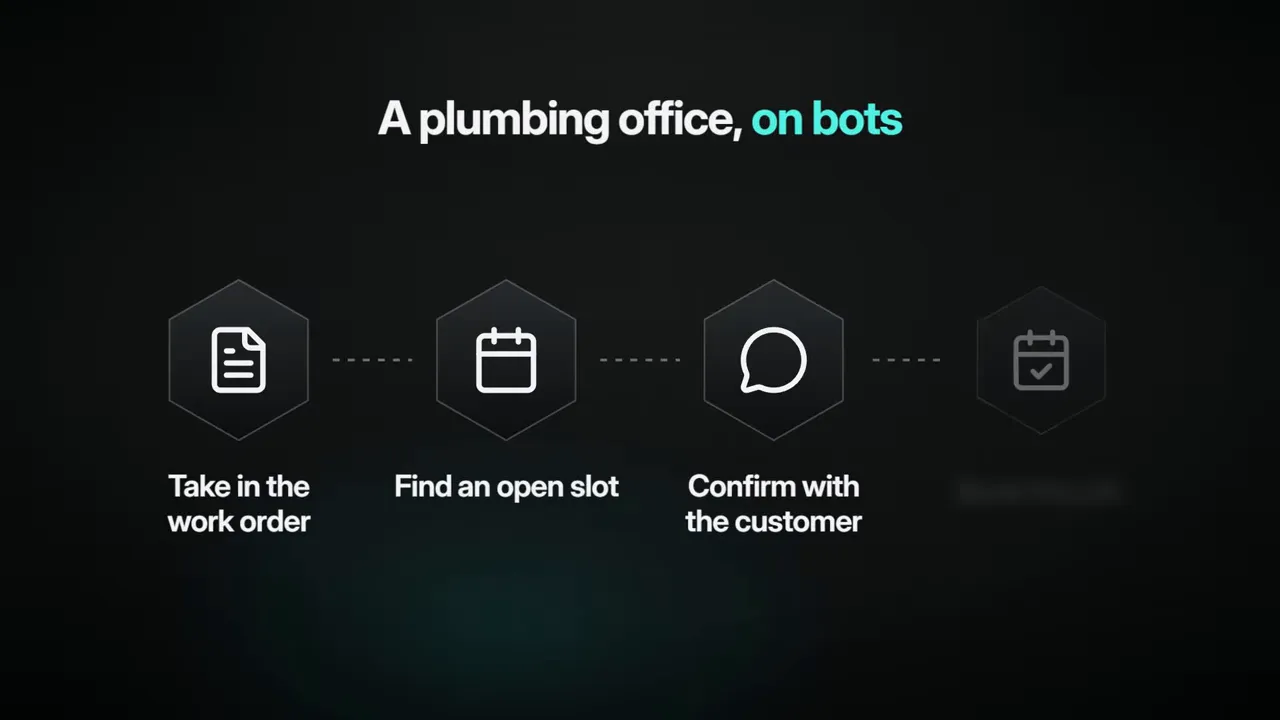
He reported that a work order could become a booked plumbing appointment in about 10 minutes. This is the kind of business automation that isn’t flashy, but directly moves work forward.
26. Build a Sales Research and Outreach System
Kevin Luke, who runs an AV production company in Los Angeles, had interviewed two candidates for a sales director role costing around $200,000 a year plus commission.
Instead, he set up two agents: a research bot to find events and the planners behind them, and an outreach bot to write personalized emails that he reviews.
He said onboarding took about a week. His usual pipeline was around $200,000 to $300,000; when he presented the setup, he reported a $1.14 million pipeline with 49 quotes outstanding.
That’s pipeline, not closed revenue. The useful model is the division of labor: agents do research and draft outreach, while he remains involved in reviewing the messages.
27. Audit Back-Office Spending and Speed Up Billing
The SpaceXAI back-office example includes a “Haggle Bot” that compared assigned software seats and recent usage with what the company was paying.
For one product, it found 43 paid seats with no activity in the previous 90 days. It also reduced one new-hire equipment order from roughly $14,600 to about $6,100. The company reported more than $100,000 in savings during the first week.
It also described five bots with ongoing accounting responsibilities. One billing workflow reportedly reduced the time required to issue an invoice from around 24 hours to minutes.
28. Run Research Experiments
MIT engineering professor Markus Buehler gave a team of three bots four images, including natural structures such as leaf veins and a web, plus a question about making materials tougher.
In his reported experiment, one bot wrote a physics simulator in about 20 minutes, ran experiments, and rejected one of its own hypotheses.
Another bot operated the 3D-printing software to produce the two strongest designs, with the prints finishing in under an hour. The interesting part is the connected workflow: visual inspiration, simulation, testing, and physical output.
29. Build and Ship a Product in Three Days
Three SpaceXAI employees documented building a company from scratch with a team of bots. By the third day, they had launched a browser game called Thursday Arena.
The humans still had to decide what to build. The bots handled the implementation and shipping.
That distinction matters. This was not a company materializing without human direction. It was a small human team using agents to move from a product decision to a launched game very quickly.
30. Create a Leadership Team of Bots
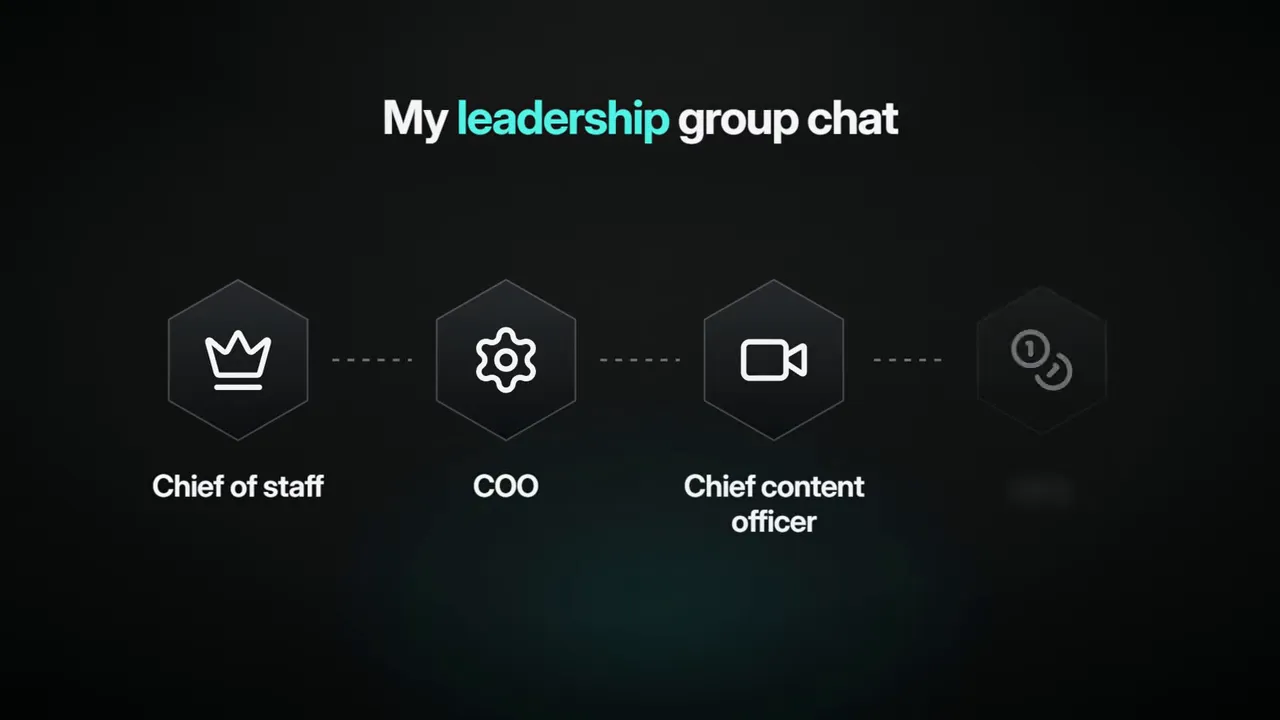
My own setup starts with a group chat called “leadership” containing four bots:
- A chief of staff.
- A chief operating officer.
- A chief content officer.
- A chief financial officer.
Underneath them are specialists with narrow responsibilities. One monitors X. One creates animations. Another processes my Fireflies meeting notes.
The leadership bots can communicate with each other and delegate work to those specialists. When I asked what we should focus on in Q4, they tagged each other, read one another’s responses, went back and forth, and returned five agreed decisions within a few minutes.
Two of those decisions were to avoid launching new business units in Q4 and to spend money only on things that remove me from the critical path.
I can also create a “roast room council,” similar to a setup I use in Claude, with bots assigned perspectives inspired by people such as Alex Hormozi and Warren Buffett. The goal is to get different subject-matter lenses challenging the same idea, rather than relying on one generic response.
The real change is moving from one chatbot answering everything to a coordinated team with defined roles.
Three Things to Try First
You don’t need to build an entire AI leadership team to get something useful out of this. Start with three assignments:
- One phone call you’ve been putting off. Give the agent the context, the desired outcome, and the point where it should ask for approval.
- One pile of paperwork. Use old bills, tax records, or unresolved refund emails, and ask it to identify issues that need follow-up.
- One real business job. Pick a defined responsibility such as researching prospects, following up with canceled customers, or coordinating appointments.
A lot of these ideas sound simple once you hear them. The barrier is often that you wouldn’t have thought to give that task to an agent in the first place.
Pick something that has been sitting on your list and give Grok Bot an actual outcome to work toward. If you’re ready to build a coordinated team, my full Grok Bot course walks through the setup from scratch.


